9+ Years · Based in London

Senior Product Designer.
I design complex tools and ship the frontend.

Nine years designing complex tools across VFX, real-time 3D and AI, after seven years as a 3D artist in VFX. I run the research, work out how the system should behave, build the prototype in the codebase, and ship the interface with the engineers.

How I work with AI

AI makes options cheap. Choosing between them is the job.

Lines marked AI are where the machine does the work. I make the decisions.

Designing with AI. Using it to do the work. Twenty versions of one control in an hour, built on the real components.

  1. 01

    Understand the system, not just the screen

    • Find the real problem first. What gets reported is usually the symptom.
    • Talk to the people using the product, and the people who will hold the control.
    • Read across competitors to see the patterns the industry has already settled on.
    • Map out what the product already does in the code, using a skill I built, so I know what is there and what I can reuse instead of guessing.
  2. 02

    Decide what to build, and in what order

    • Turn the research into one flow before any screens. What already exists, what we reuse, what has to be new.
    • Decide what to build first, and let the rest wait.
    • Put the riskiest assumption in front of real users early, and let the answer decide what gets built next.
  3. 03

    Explore wide, then build outward from the choice

    • Explore many versions of the one thing that matters most.
    • I pick the right one, because I know what the user is trying to get done, and I am clear about what we give up by picking it. That answer usually turns up a system question nobody had asked yet.
    • Design the rest of the layout around that one thing, and build it with the real components, running inside the product.
    • Walk the flows for edge cases, missing states and dead ends, so only what survives reaches customers.
  4. 04

    Ship from the codebase

    • The handoff is a frontend branch in GitHub.
    • The engineer picks up the branch and connects the backend.
    • I review the engineers’ pull requests when they touch the frontend or the design.
    • What I build becomes the pattern the rest of the product uses, so the next person does not start from scratch.

Designing for AI. The product around the model, not the model itself. What people see when it gets something wrong, what they look at while they wait, and when a person decides instead of the machine. This is the harder of the two, and it is what the permissions project below was about.

I was the first designer on my team working in the codebase. Handoff became a branch the engineers could pull and run, not a file they had to interpret.

Recent case studies

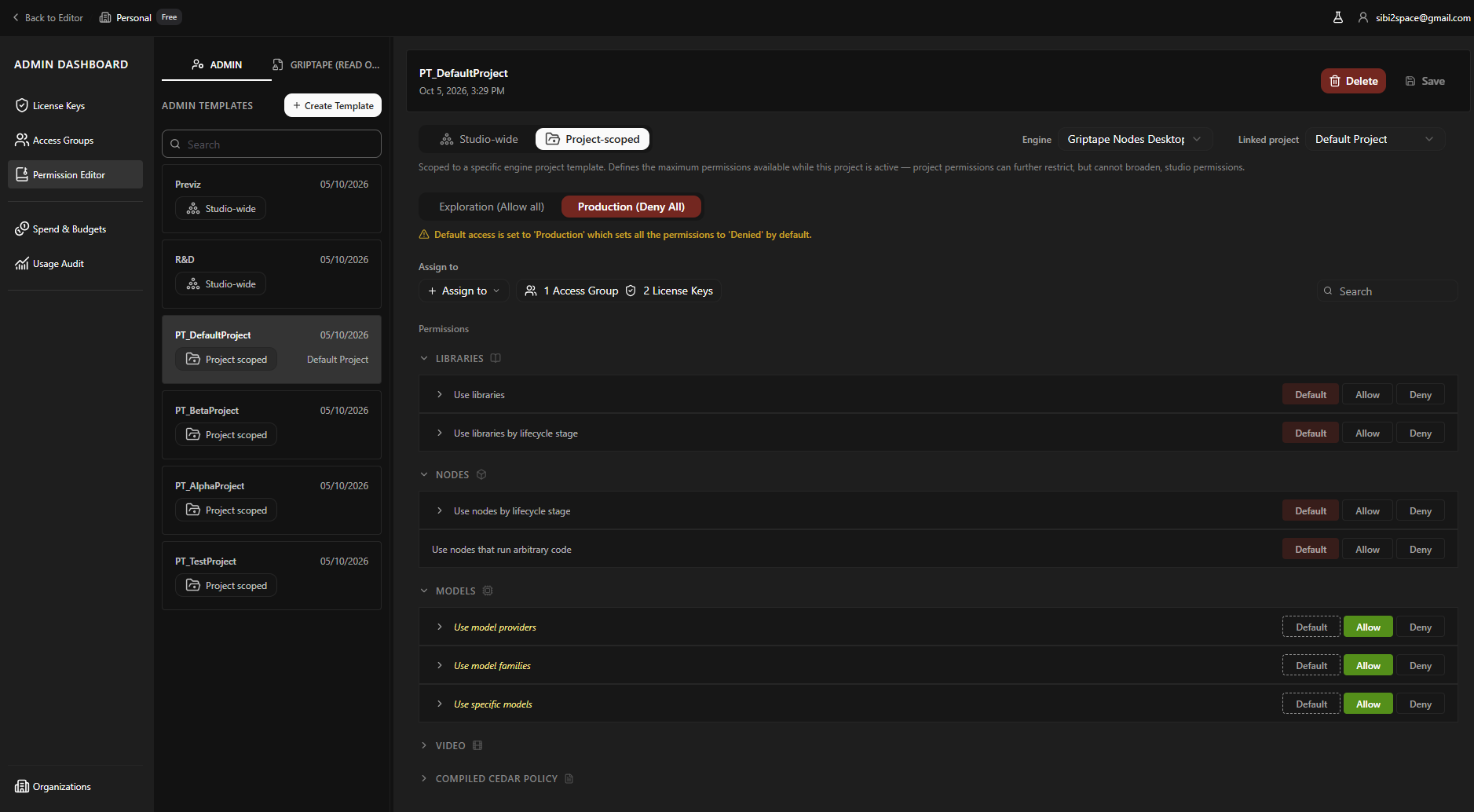
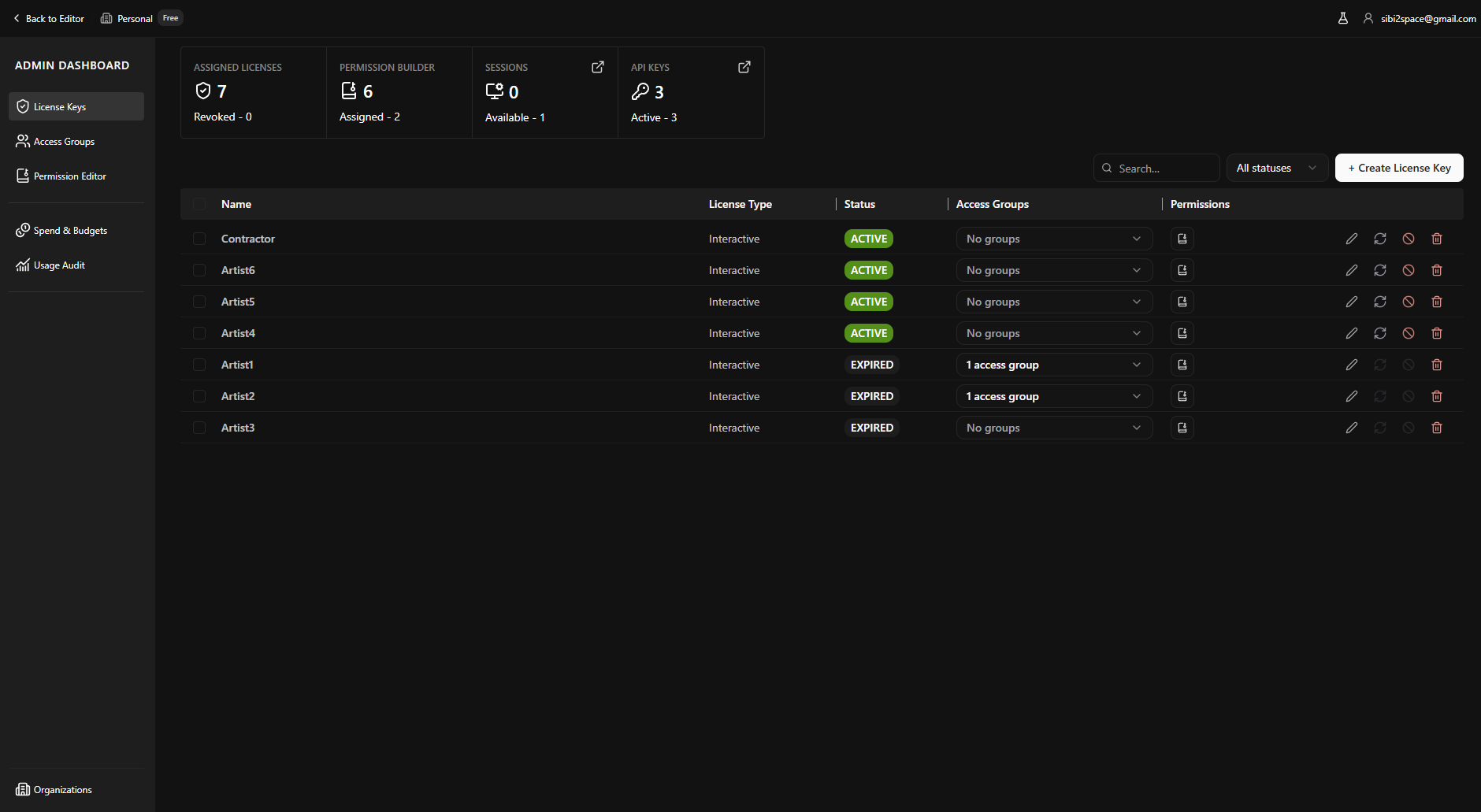
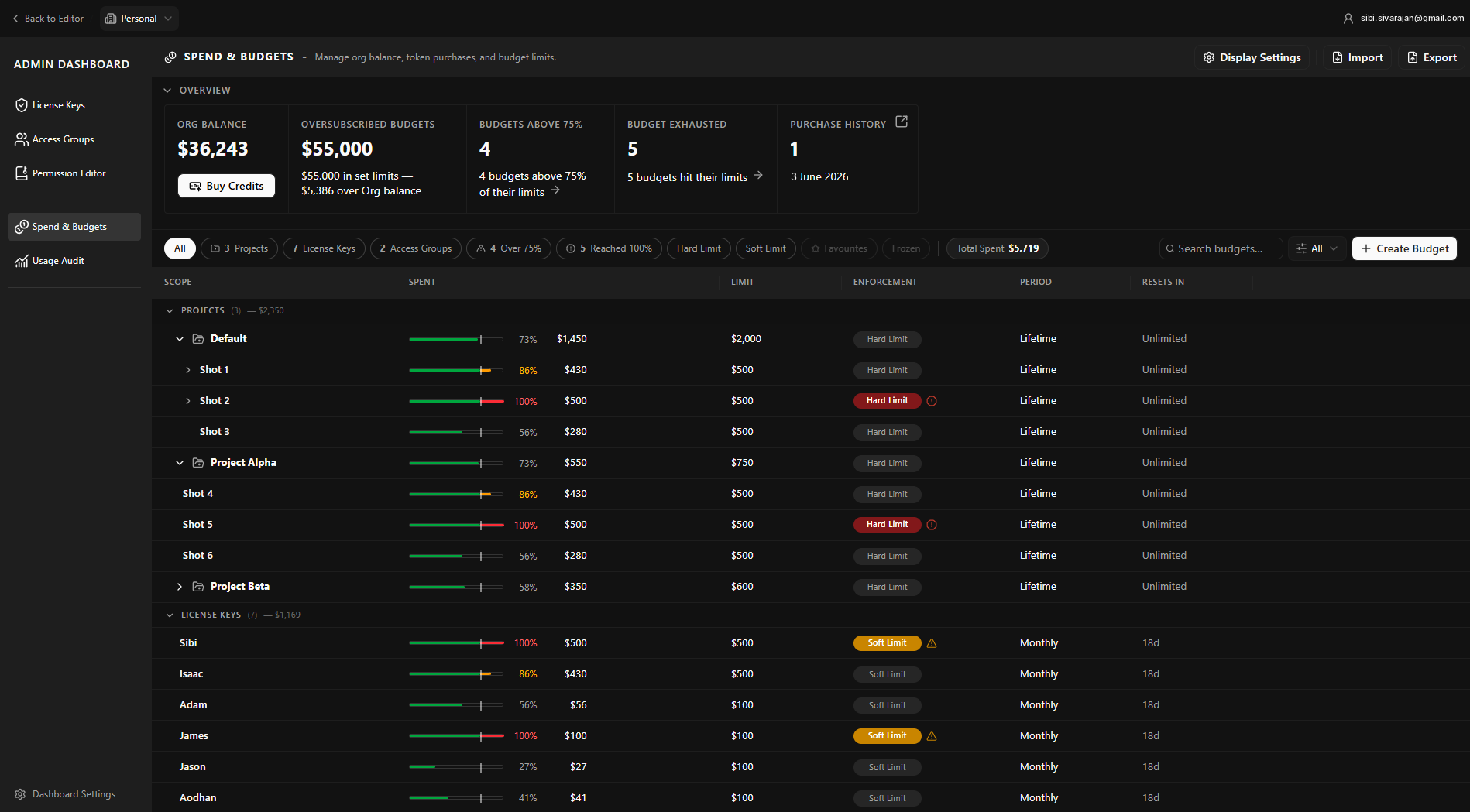
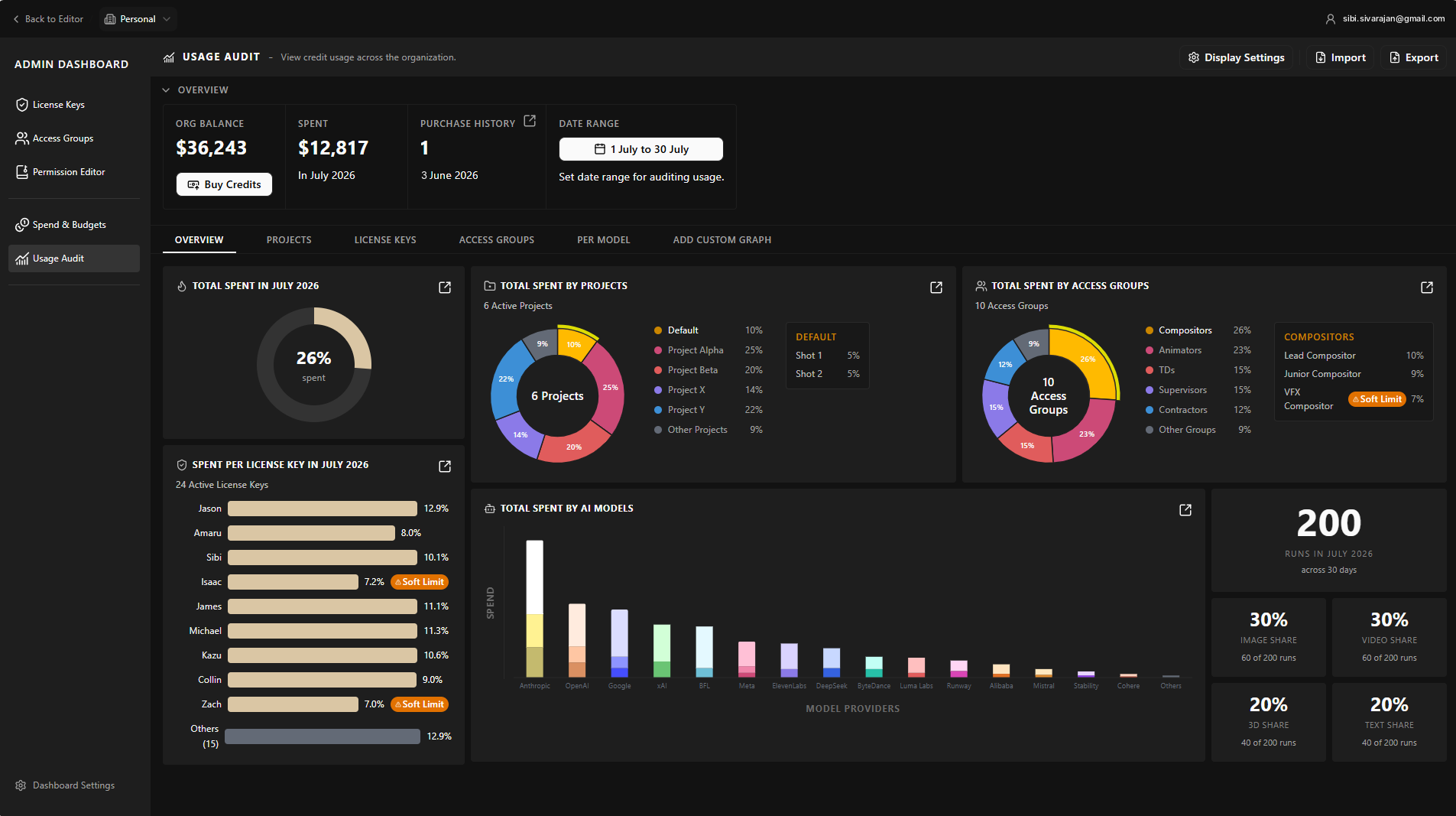
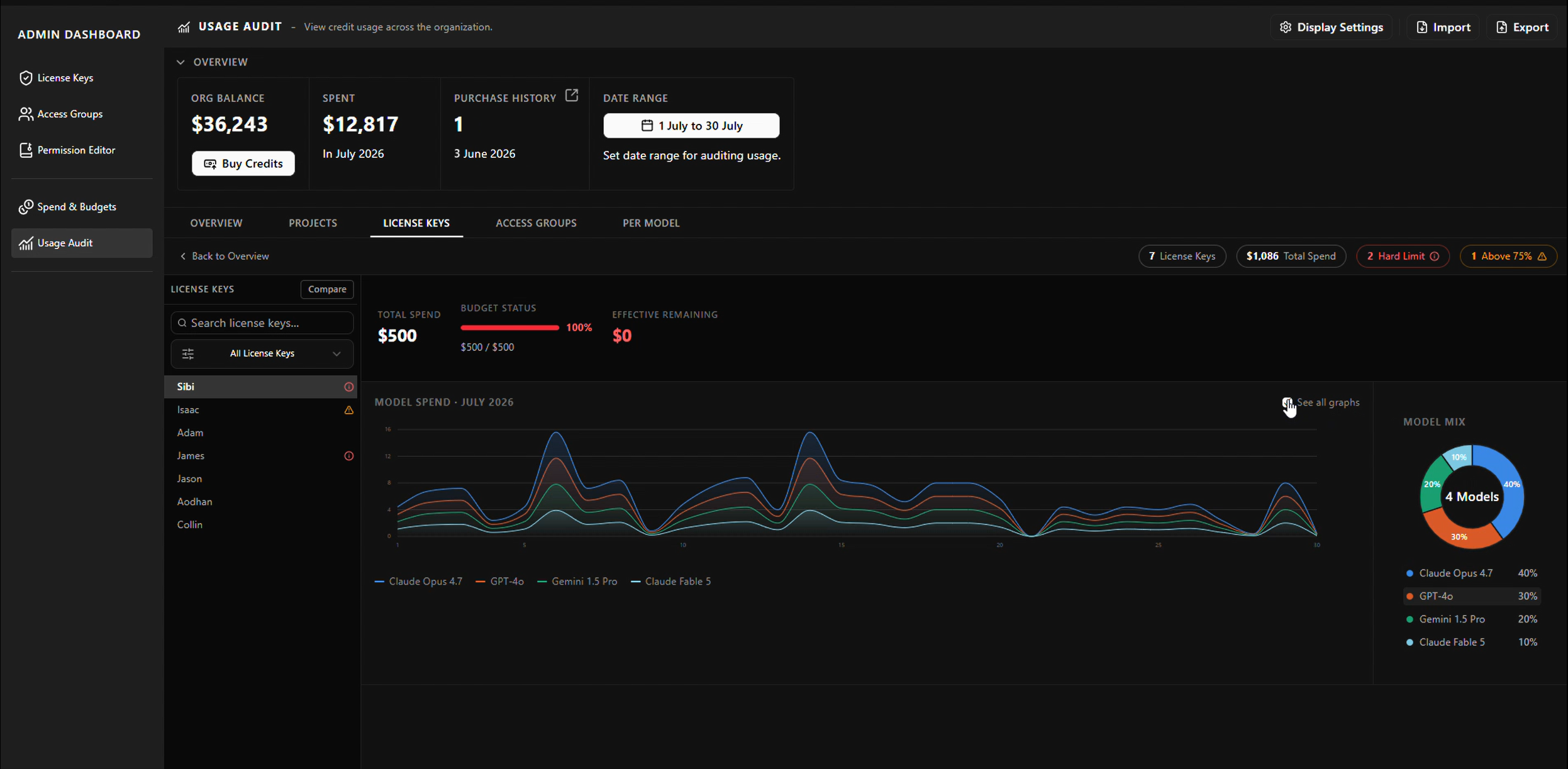
AI Platform Permissions and Governance Enterprise

01 — Case Study

Deciding what an AI system is allowed to do

Permissions, budgeting and usage audit for an AI workflow platform used by VFX studios.

VFX studios needed to give access to only the artists and groups on a given show, allow certain AI models on certain projects and block the rest, and see what the models were costing per production. None of that existed, so studios would not put the product anywhere near unreleased film work. I designed the admin dashboard that answered all three, modelled the permission system with the engineers, and built the frontend in the product codebase. Governance had been ending sales conversations; after it shipped, they went further.

View Case Study
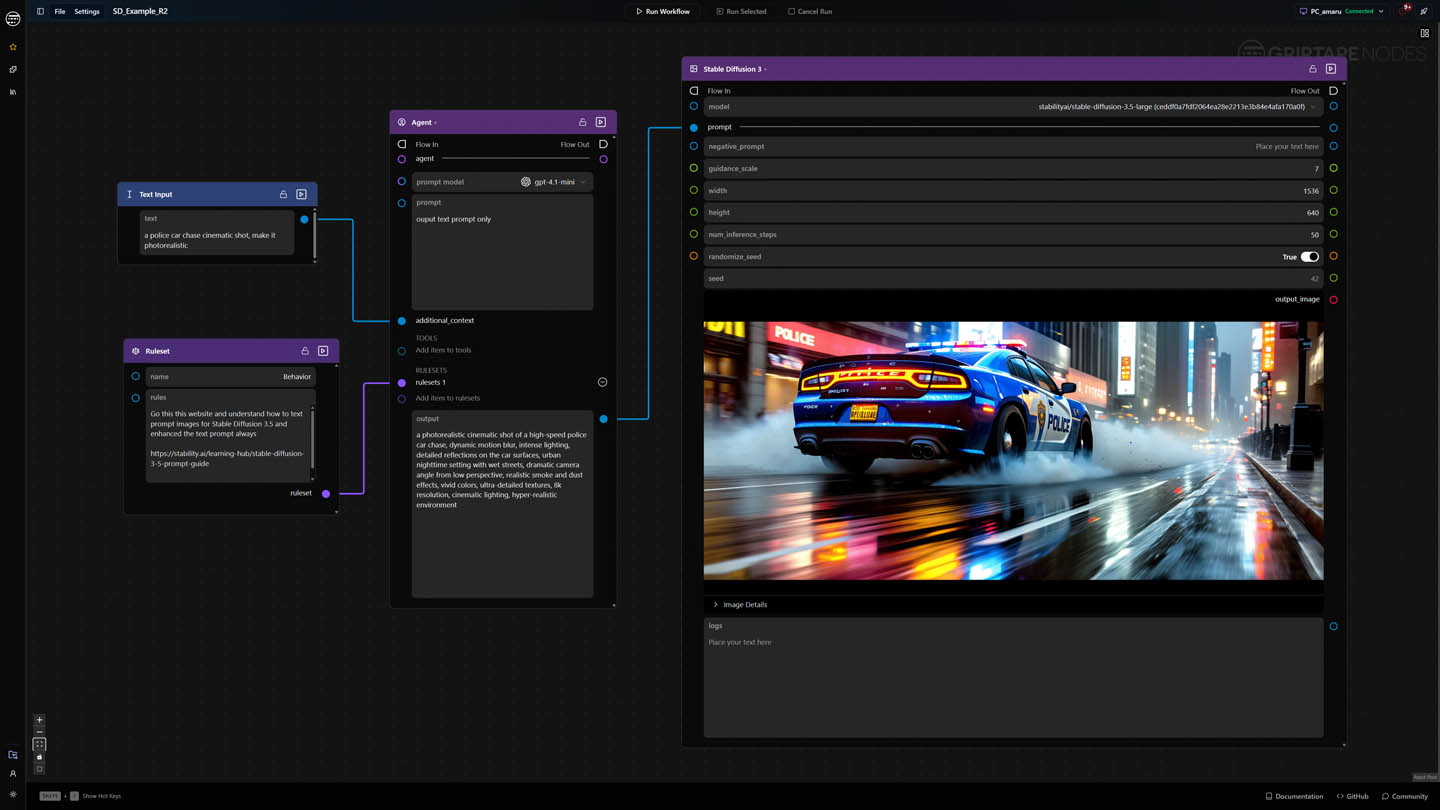
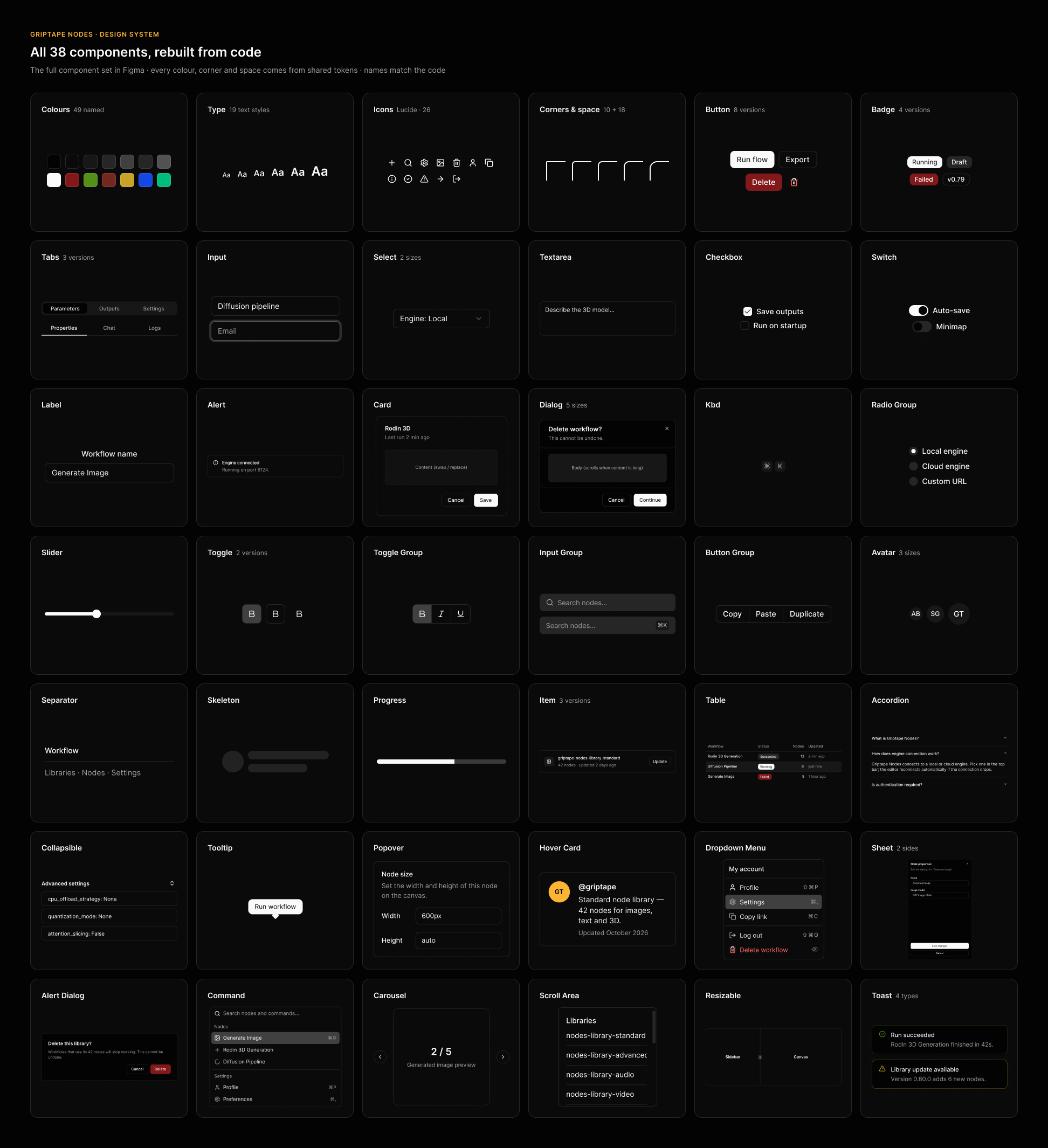
A Griptape Nodes workflow on the canvas, built from the design system components: a text input, ruleset and agent node feeding a Stable Diffusion node that generates a police car image The Griptape Nodes design system in Figma: all 38 components rebuilt from code, from colours, type and icons to buttons, inputs, dialogs and tables
Design Systems Audit Frontend

02 — Case Study

How I contributed to Griptape's design system

Griptape Nodes is an app where people build AI workflows by connecting nodes on a canvas. Its screens had drifted apart: the same button or tab looked different from one screen to the next. I led the work to find every difference, agree on one way of doing things, and fix it in Figma and in the code, with Claude Code as my helper for the heavy lifting.

View Case Study
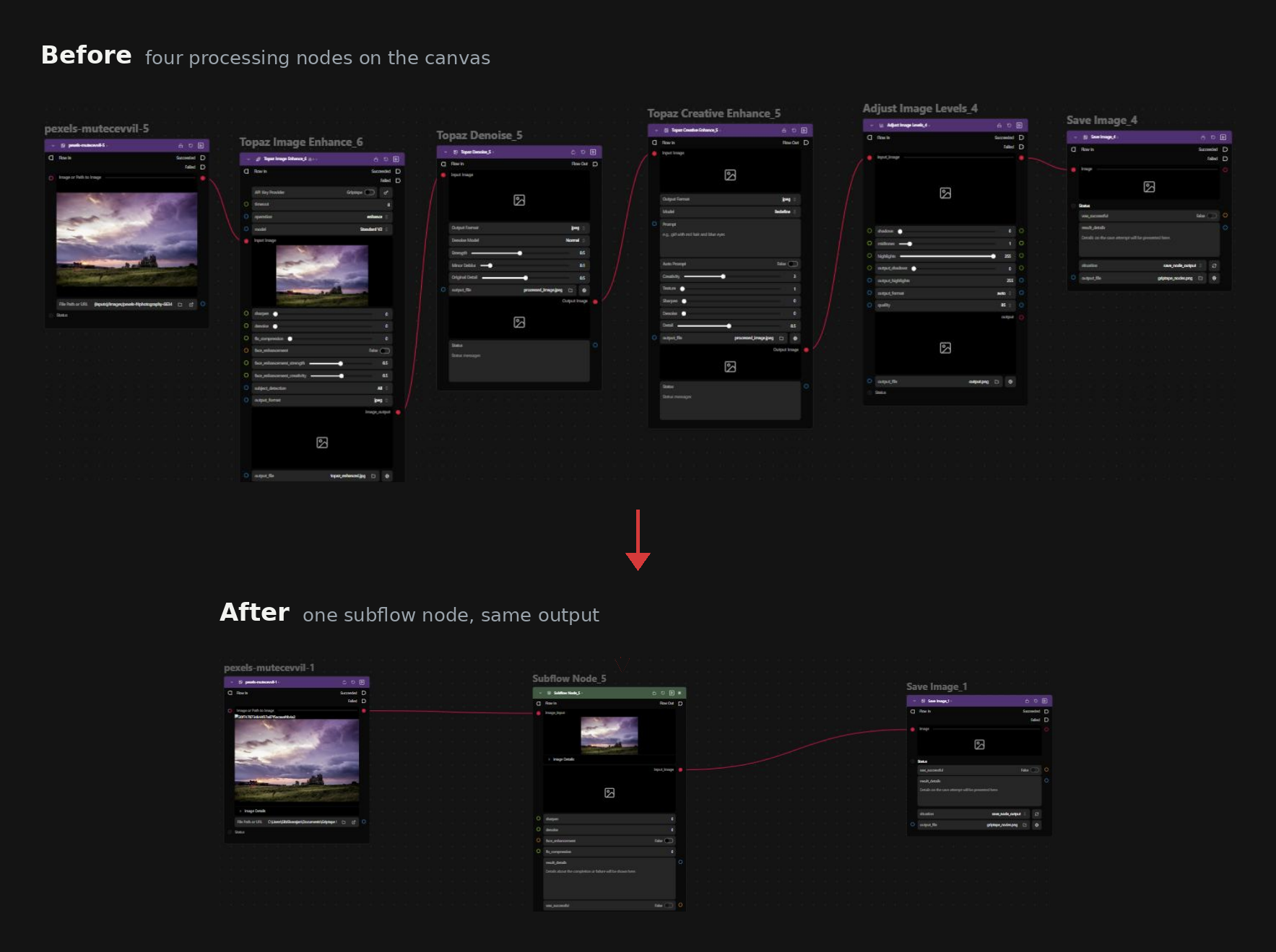
Before and after: four image processing nodes on the canvas collapsed into one subflow node with the same output
Node Graphs AI Workflows Design Engineering

03 — Case Study

Subflow nodes: folding a graph into a single node

Designed and built end to end, backend behaviour and canvas interface. Two pull requests, frontend and backend, reviewed, changed, merged to main.

I designed the subflow node. It takes a connected section of a graph and folds it into one node, and the parameters that matter can be surfaced on the outside of that node, so you adjust it without going in. Sixty nodes becomes ten.

It solved a second problem nobody had framed as a design problem. A supervisor can build something complicated, fold it, and hand it to a junior artist as a node with three sliders on it, instead of handing over a network they have to understand first.

View Case Study
UX/UI work from
Epic, Unity & Foundry

AI-powered workflow graph
AI Unreal Engine

AI-powered workflow graph

Unreal Engine is a real-time 3D creation tool.

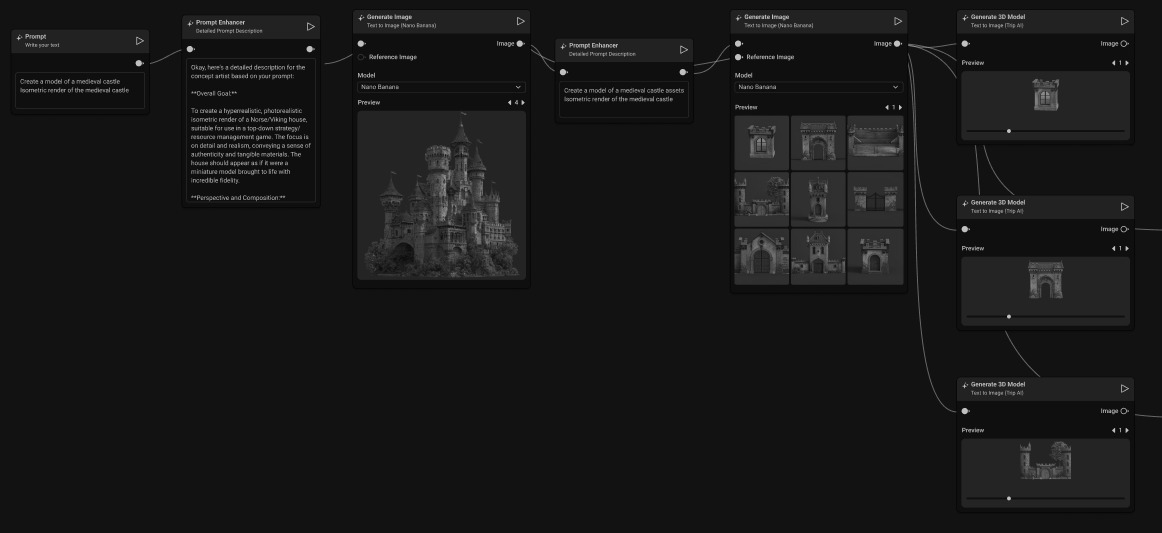
Designed an AI-powered workflow graph that brings procedural AI workflows directly into Unreal Engine. (Unreleased project. The preview is a conceptual representation, not the shipped product.)

Available on request, get in touch
Unreal Insights — Memory Profiling UX
Profiling Tools Unreal Engine

Unreal Insights: Memory & LLM Tag Profiling

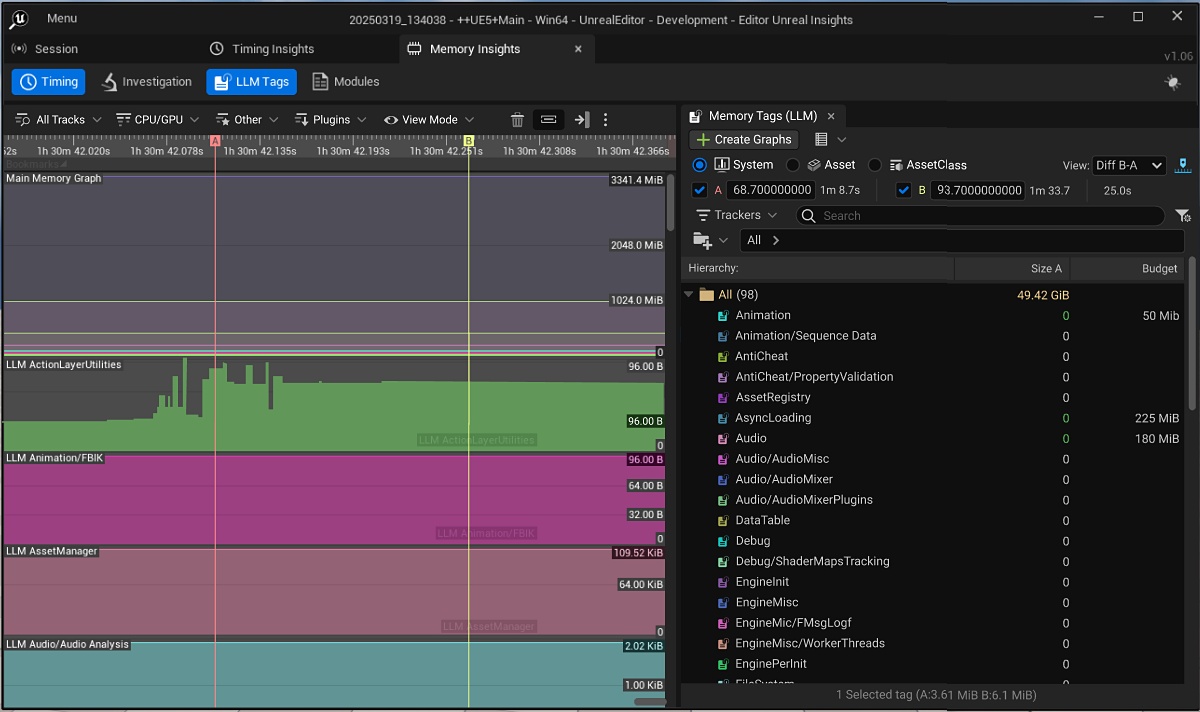
Unreal Insights is a profiling tool that gives developers detailed visibility into memory allocation, Low Level Memory (LLM) tags, and callstacks across their project. I redesigned its complex, data-heavy UI to make it easier to use.

Available on request, get in touch
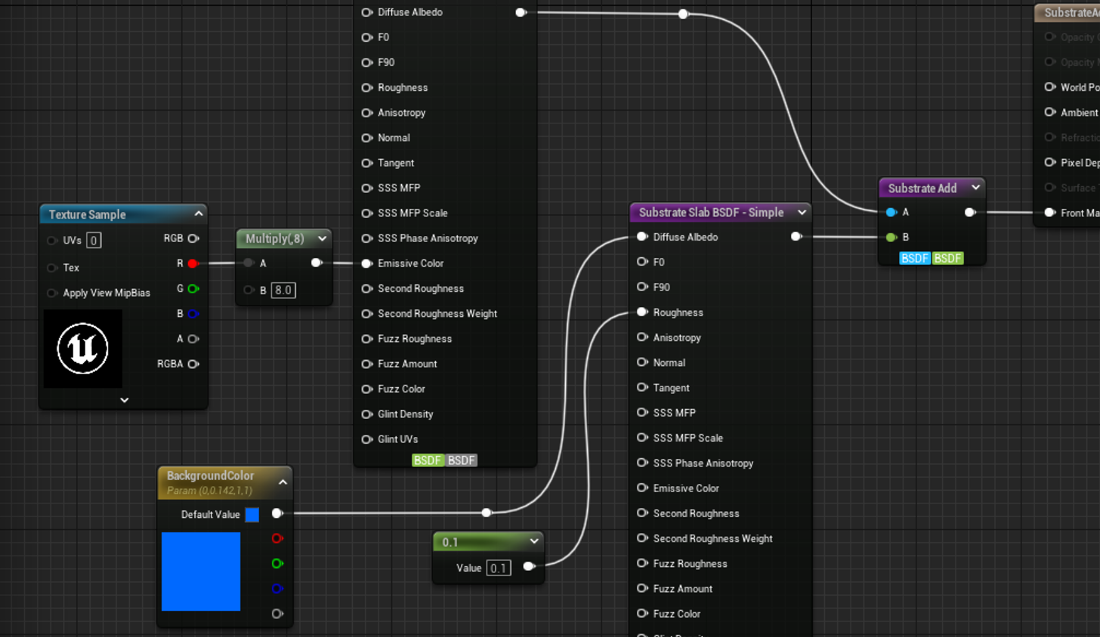
Material Instance first workflows
Workflow Design Unreal Engine

Material Instance first workflows

Developed material instance-first workflows that increased user efficiency and optimized shader performance in Unreal Engine and Unreal Editor for Fortnite. (Unreleased project. The preview is a conceptual representation, not the shipped product.)

Available on request, get in touch
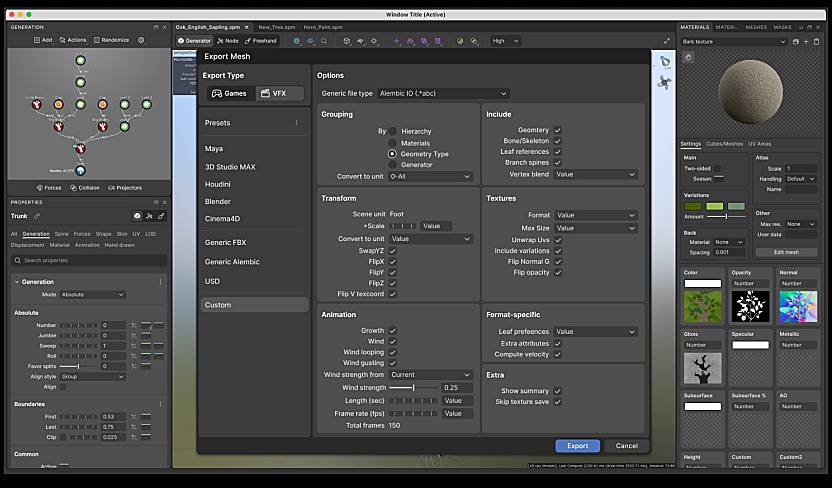
Speed Tree Export Workflow
UI/UX Unity

Speed Tree Export Workflow

SpeedTree is a widely used vegetation toolkit.

Designed the UI/UX for its export workflow to Unity, other game engines and VFX/DCC applications.

Available on request, get in touch
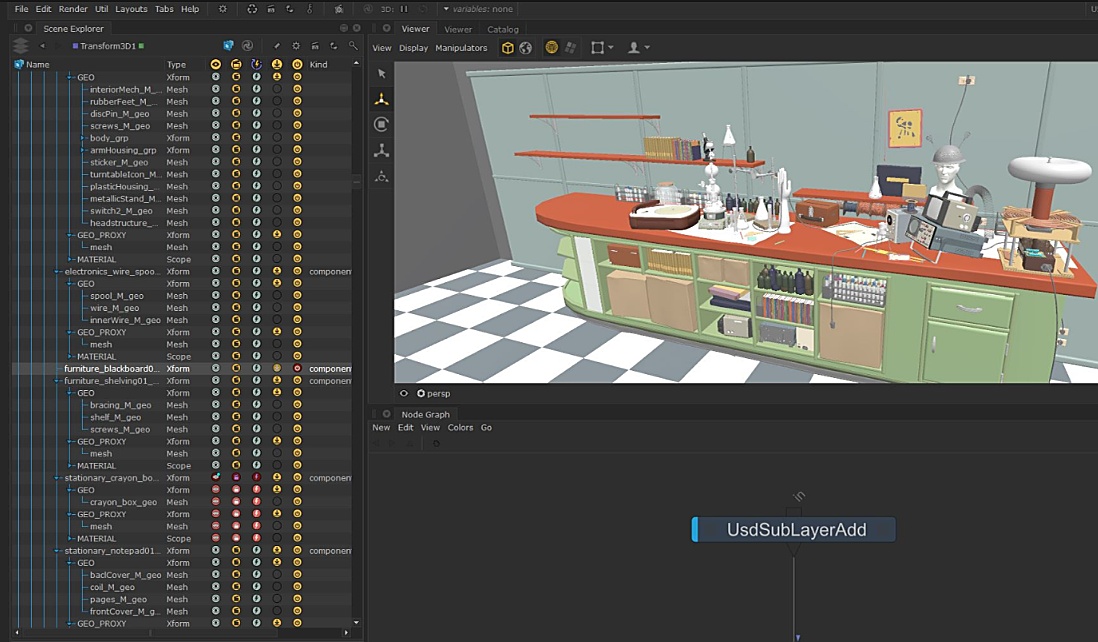
Foundry Katana — USD SceneGraph Tab Design
VFX USD

Foundry Katana: USD SceneGraph Tab Design

Katana is Foundry's look development and lighting software for VFX.

Designed a Scene Explorer that shows artists USD data, a complex format, alongside native Katana scene graph locations in one view.

Available on request, get in touch
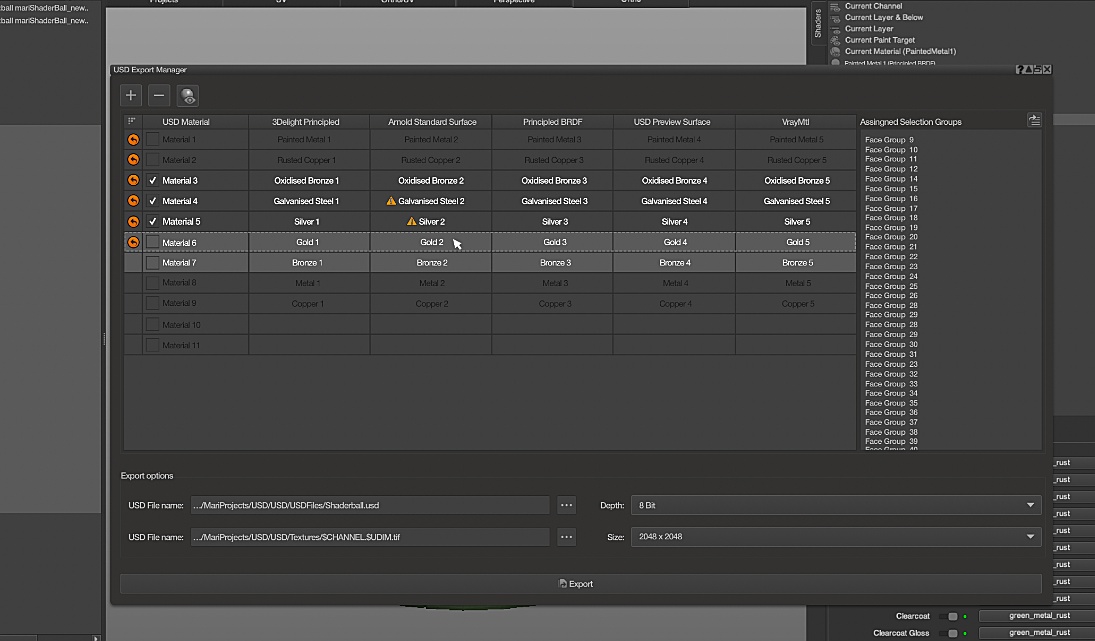
Mari — USD Export Manager Design
VFX USD

Mari: USD Export Manager Design

Mari is a texture painting tool used by major VFX studios.

Designed a USD Export Manager for exporting 3D assets, looks and assemblies into Pixar's Universal Scene Description format.

Available on request, get in touch
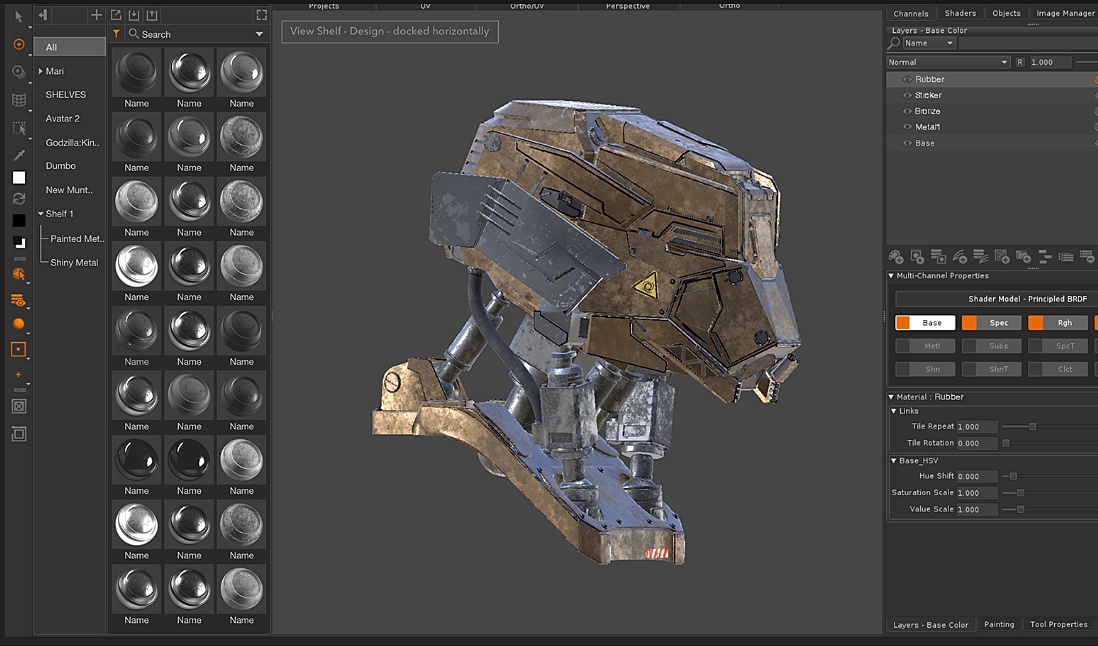
Mari — Material System Shelf Redesign
VFX Texture Painting

Mari: Material System Shelf Redesign

Designed the Material System workflows and UI: a node-based workflow for fast PBR texturing, where artists create, layer and manage material presets such as metal, rust and paint across several channels at once.

Available on request, get in touch
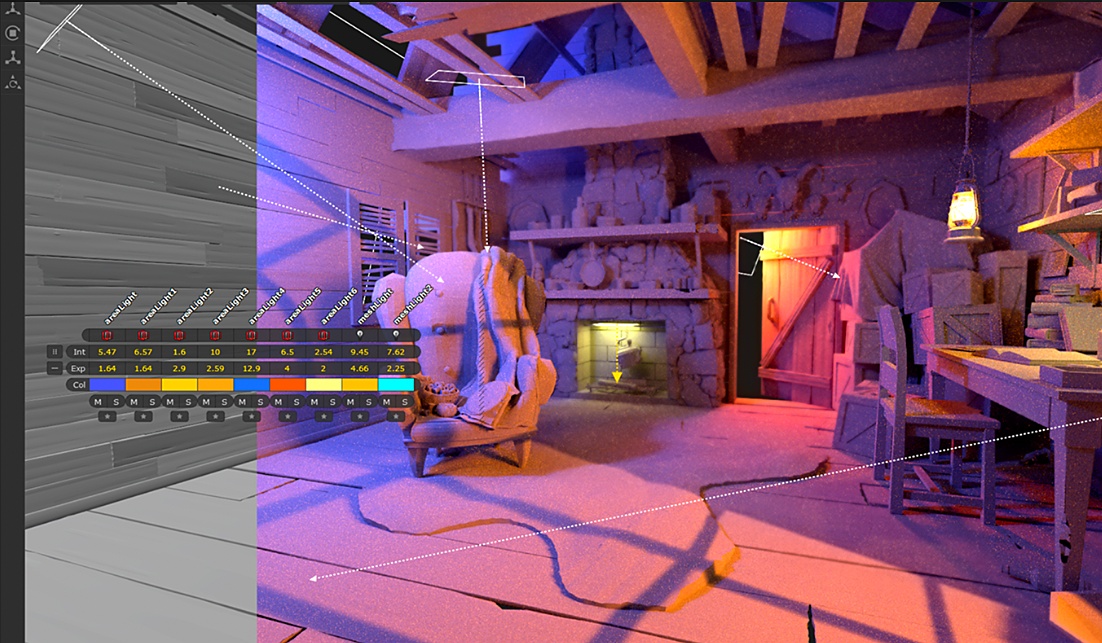
Katana — Light Placement Tools Design
VFX Lighting

Katana: Light Placement Tools Design

Designed lighting tools in the Hydra Viewer that let artists create, position and edit lights interactively, the way a cinematographer lights a live-action set.

Available on request, get in touch